SMILE GALLERYOPENING DOSSIER
SG
DECLASSIFYING EXHIBITION000%
PLATE 01 OF 07
SMILE GALLERY · VISUAL DOSSIERART DIRECTION · INTERFACE · MOTION

Smile Gallery, a visual case study

Smile Gallery monochrome side profile portrait
SUBJECT FILE

A portrait gallery.
A classified world.
Clearance granted.

02 · THE FIRST ENCOUNTERSTUDY IN CONTRAST

The interface in motion

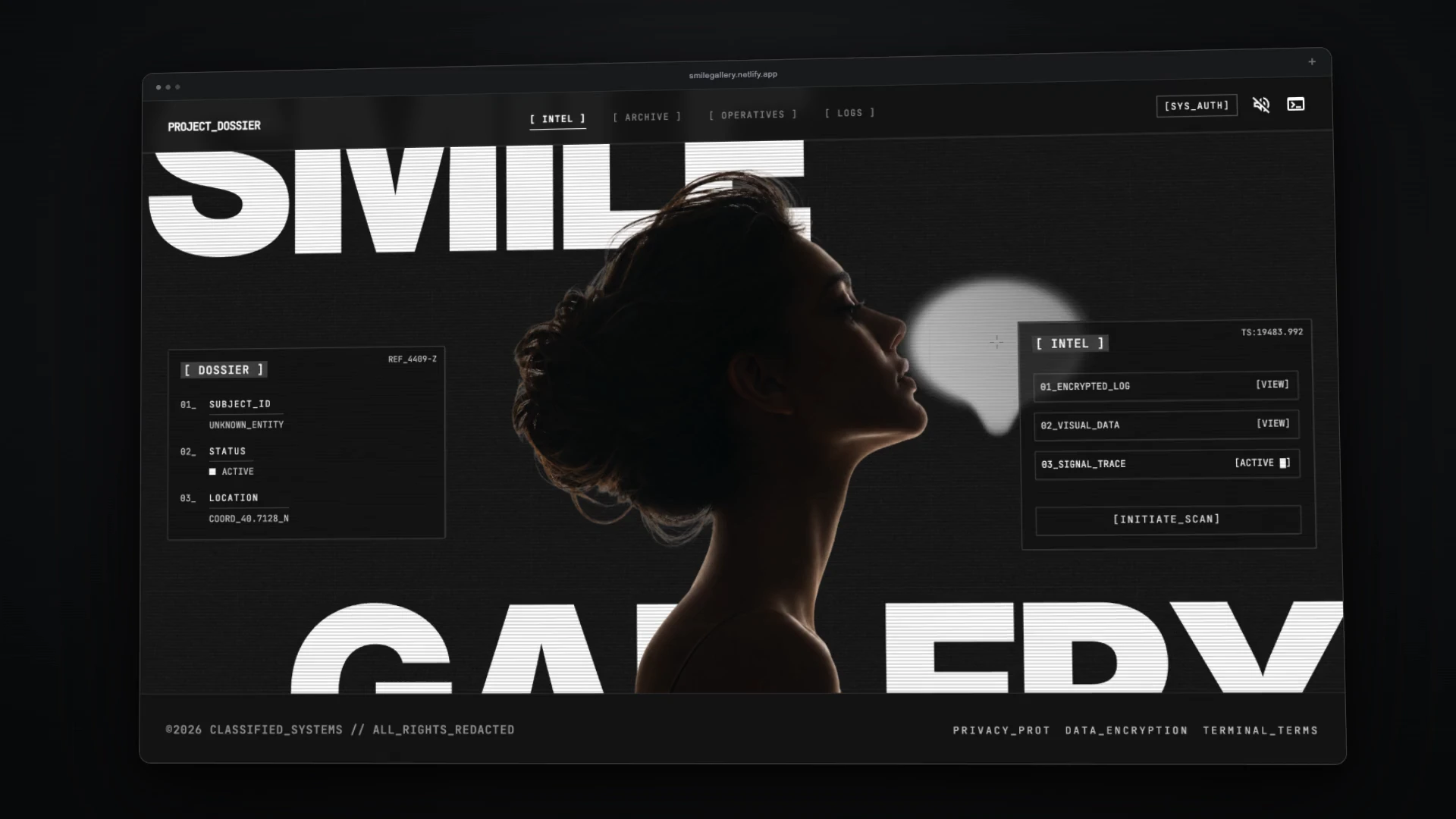
Still presentation of Smile Gallery
THE IDEA

Make browsing feel like an investigation.

Redowl Design Studio framed a portrait collection as a classified archive with four chapters to explore. We made a second portrait appear as visitors move across the image, so uncovering it feels like finding a file. Keyboard controls and still views let visitors see both portraits at their own pace.

Role
Digital art direction, interface design, and interaction engineering
Deliverables
Responsive gallery interface, four connected chapters, interactive liquid portrait reveal, archive grid, and dossier controls
03 · UNDER THE SURFACEINTERACTIVE STUDY

TWOREALITIES.

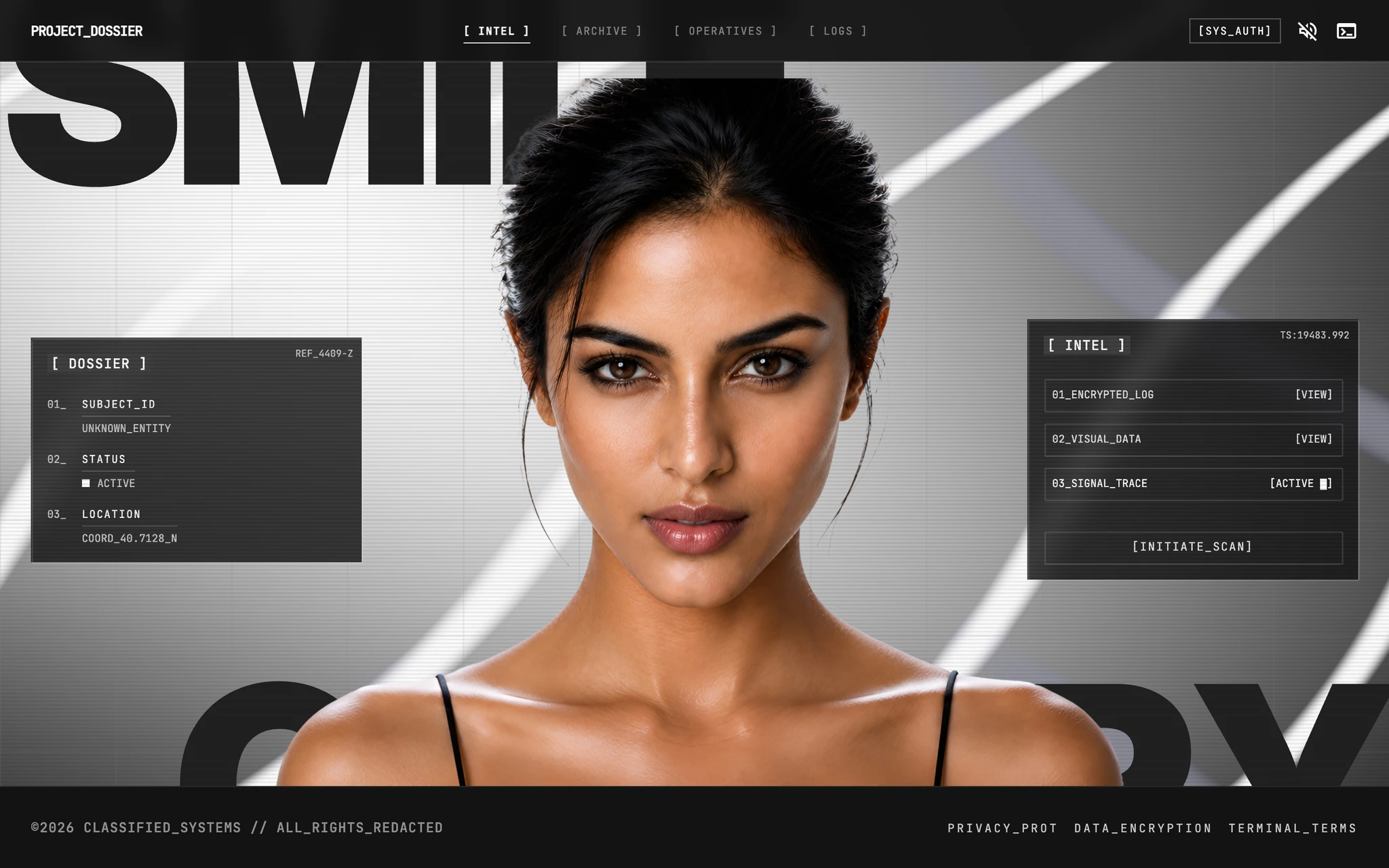
Move the pointer to reveal the portrait; pause to let it fade away. With this preview focused, use the arrow keys to move it, R to reset, and Escape to show the dark portrait. Static state buttons are below.

Dark hero interface with a portrait between the dossier and intel panels
MOVE TO REVEAL
THE GESTURE

The portrait answers back.

Move across the surface and a liquid window parts the shadow to expose a second face. Pause, and the archive closes back over it. Everything around the frame stays motionless so the gesture carries all the weight.
04 · INSIDE THE GRIDPORTRAIT FIRST, CONTROLS SECOND

PRECISION
AT THE EDGES.

Full Smile Gallery hero showing the centered portrait composition
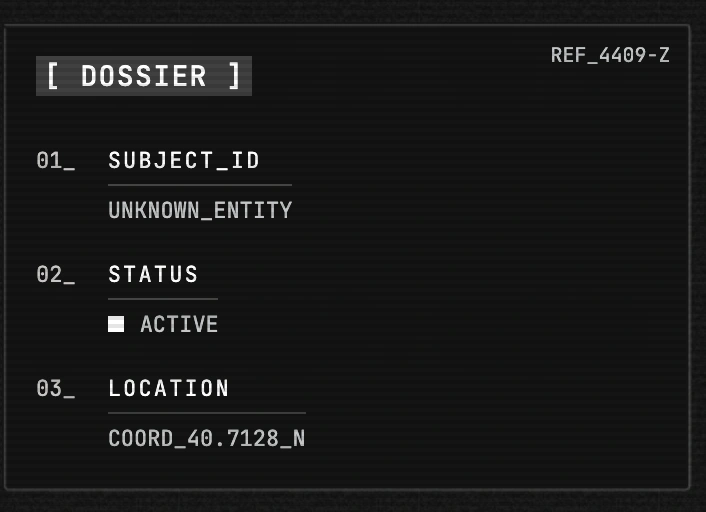
A · CONTEXTClose view of the dossier panel

Numbered fields file away identity, status, and coordinates so you can read the subject at a glance.

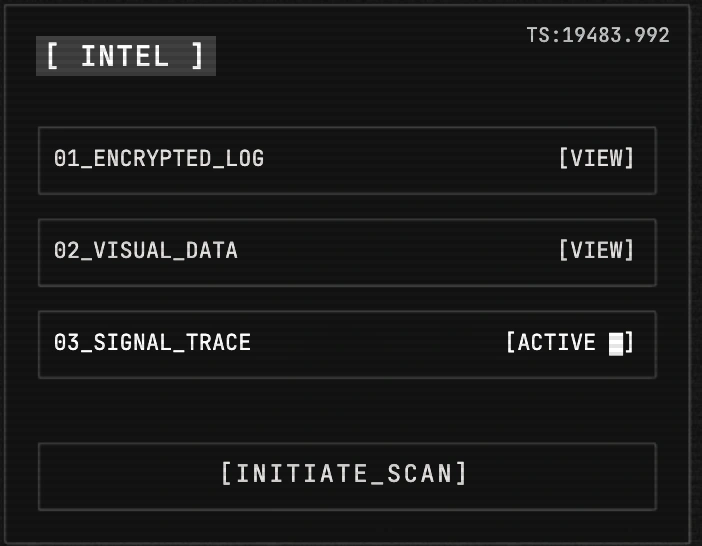
B · ACTIONClose view of the intel controls

Bracketed controls and repeated rows turn navigation into crisp dossier telemetry without competing with the portrait.

HIERARCHY

Expressive at the center.
Disciplined at the edges.

The portrait holds the middle of the stage while monospaced metadata stays pinned to the perimeter. Scale alone separates mood from utility, without needing a single accent color.
05 · THE SPATIAL STORYINTEL · ARCHIVE · OPERATIVES · LOGS

FOUR ROOMS.
ONE WORLD.

Every chapter shifts the lighting.
The archive language holds the room.

INTEL · THE ENCOUNTER01 OF 04
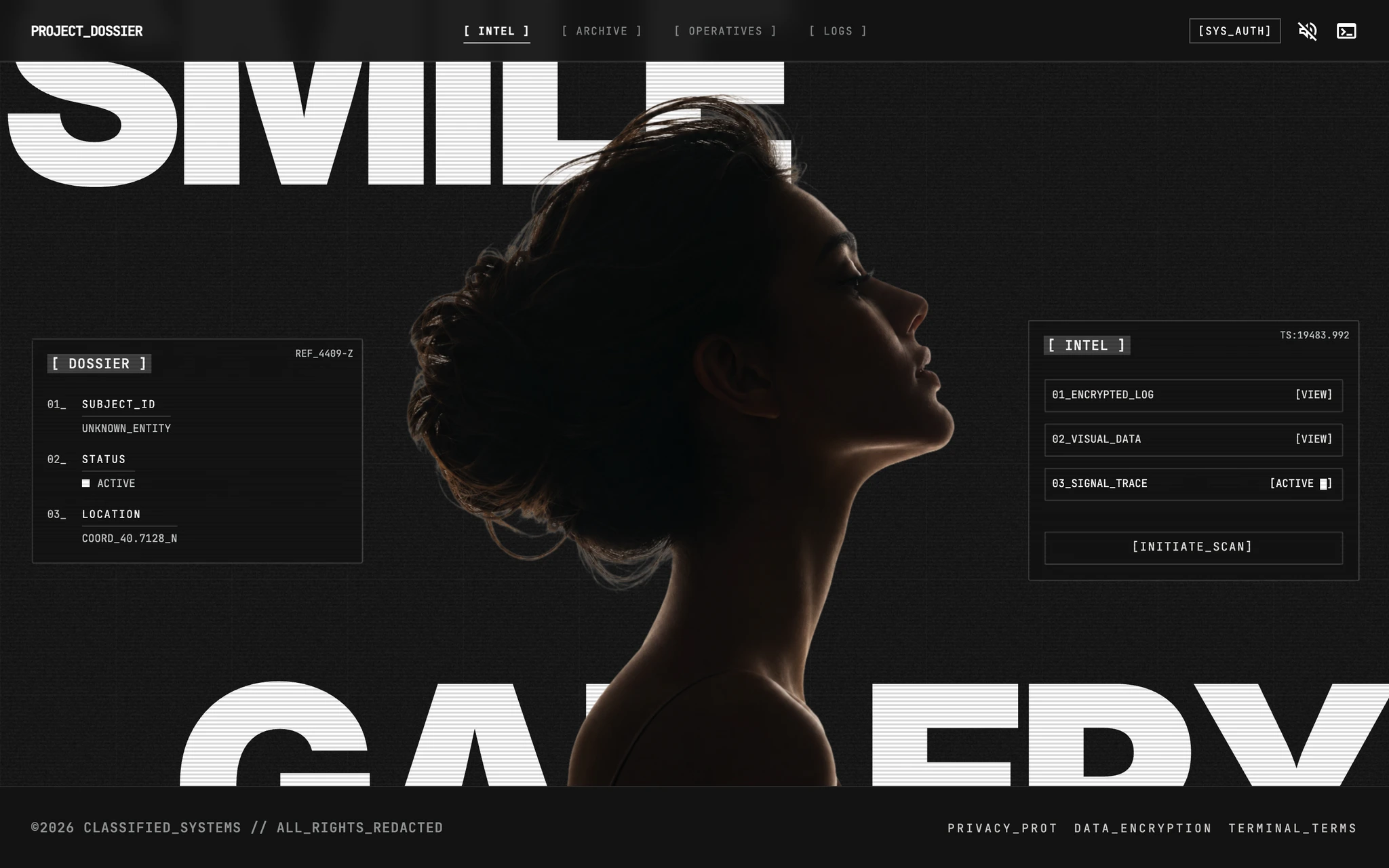
Intel chapter hero interface

The invitation
to investigate.

Oversized typography, a dark side profile, and two quiet panels establish the rules immediately. Sweep the cursor and the portrait reveals what the dossier left out.
ARCHIVE · THE COLLECTION02 OF 04
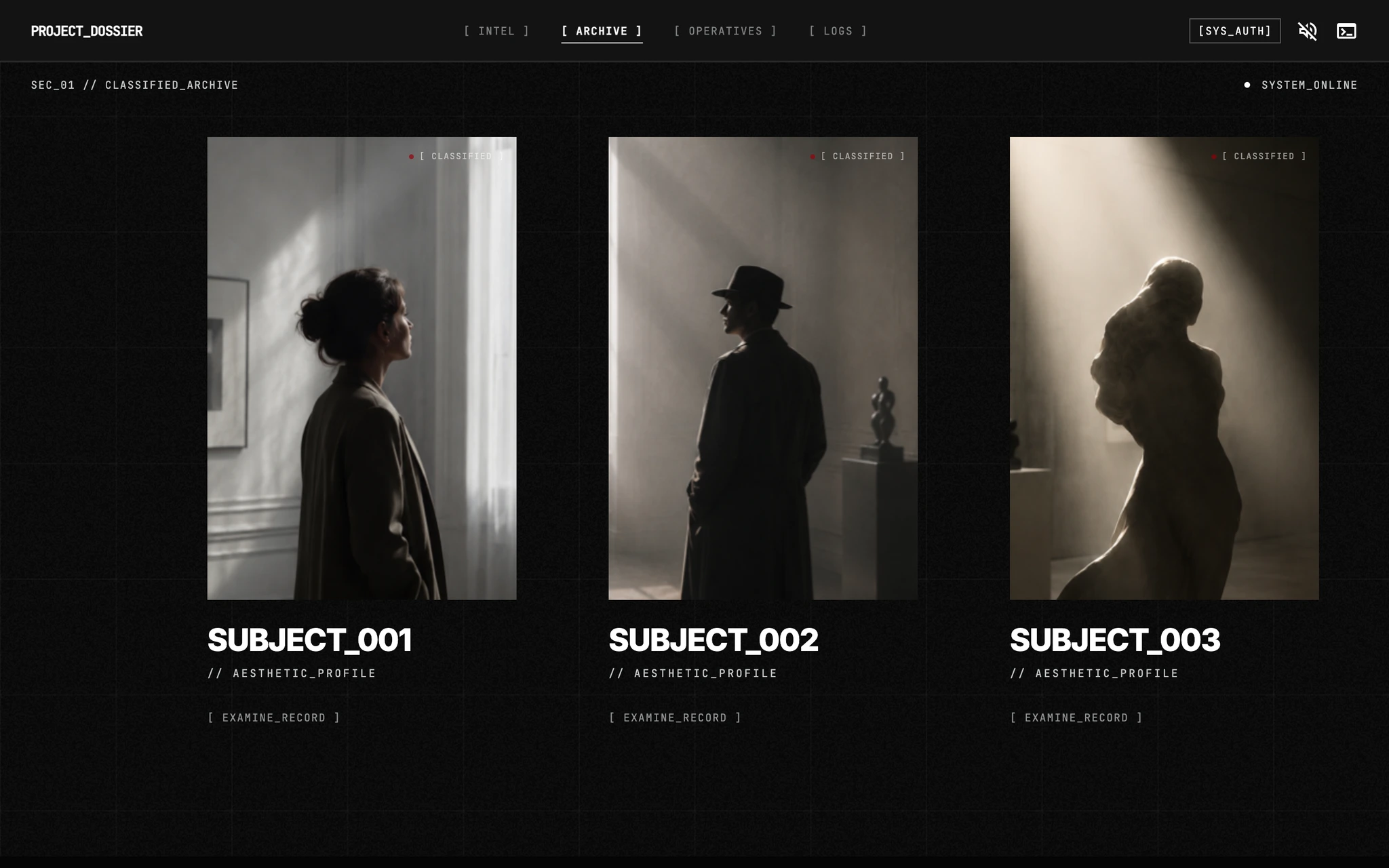
Archive chapter with numbered portraits in a horizontal gallery

Every face,
a classified file.

Locked image ratios, sequential subject numbers, and Examine Record prompts keep the collection effortless to scan. The grid stays rigid so every portrait feels distinct.

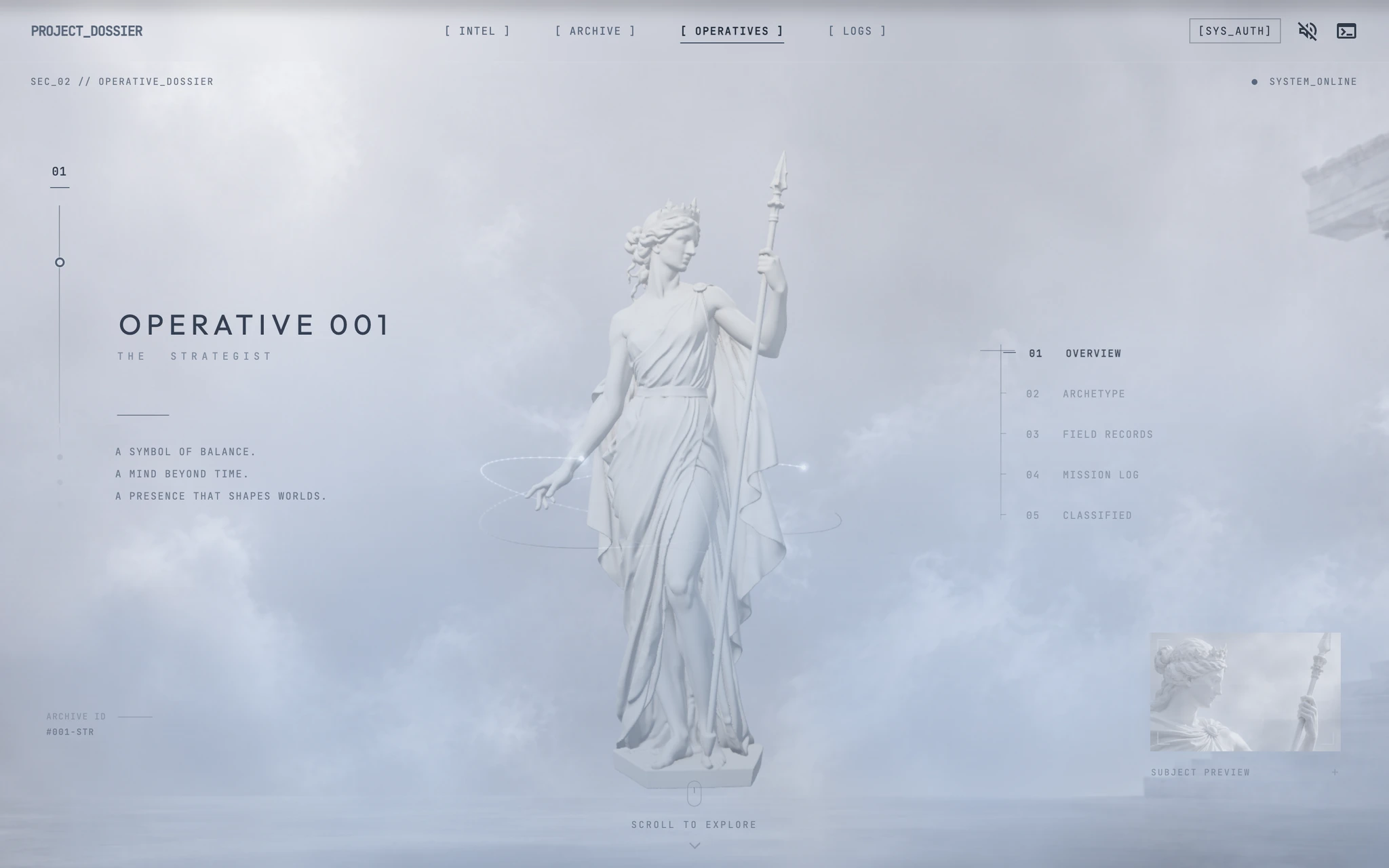
OPERATIVES · THE DOSSIER03 OF 04
Operatives chapter with a marble figure against a pale misty environment

A sudden shift
in atmosphere.

A pale marble figure in bright mist breaks the obsidian streak without breaking character. The same monospaced labels and measured rhythm anchor the chapter to the rest of the world.

LOGS · THE SYSTEM04 OF 04
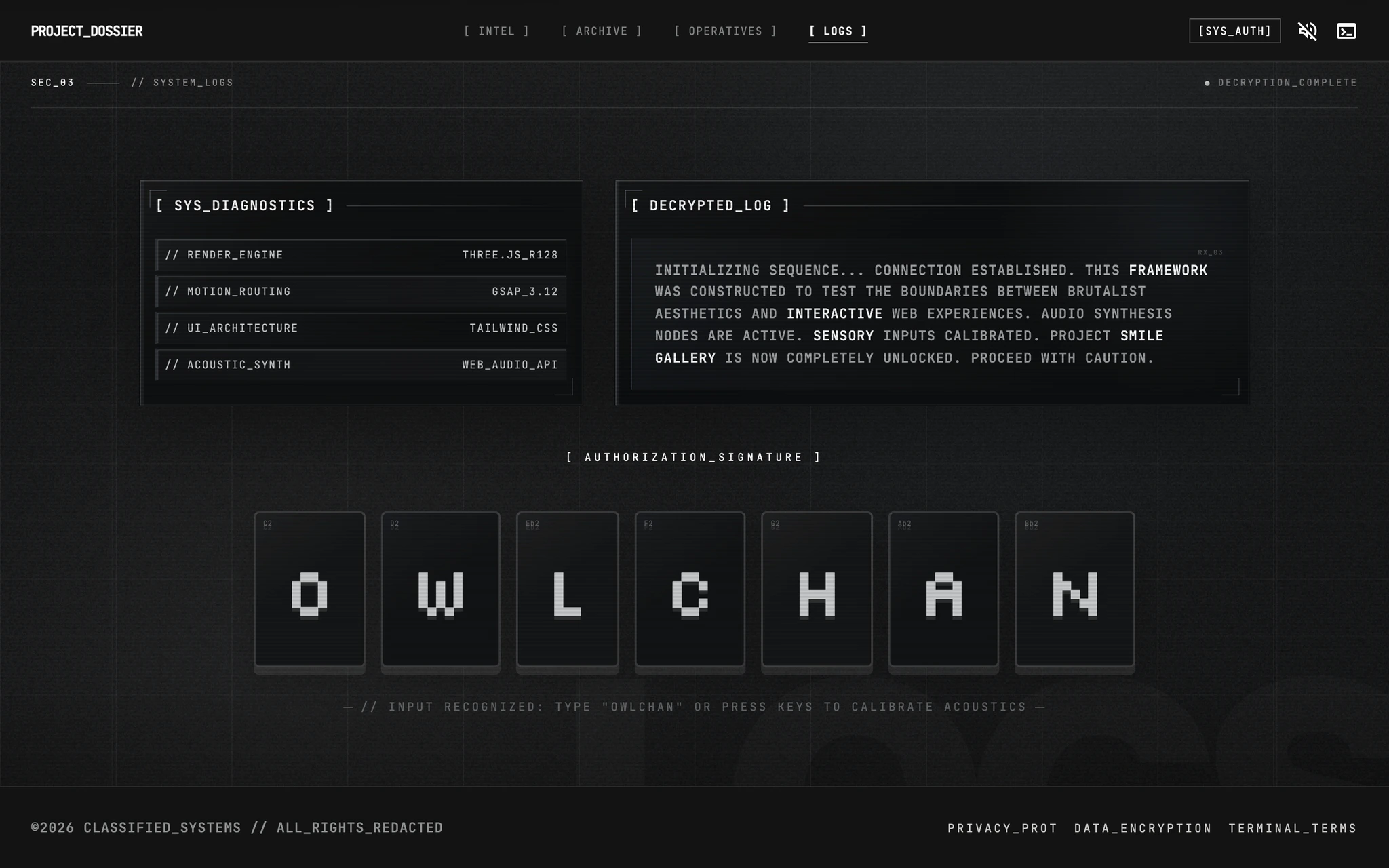
Logs chapter showing diagnostics, decrypted text, and the pixel signature

The system
closes the loop.

System diagnostics, a decrypted transmission, and a playable pixel signature sign off the dossier in deadpan style. The ending belongs to the exact same machine as the opening frame.

SCROLL TO WALK THE ARCHIVE01 OF 04
06 · THE VISUAL LANGUAGETYPE AND COLOR SYSTEM

THE
LANGUAGE.

INTERFACE · JETBRAINS MONO
REF 4409 Z
SUBJECT ID
01 UNKNOWN ENTITY
STATUS: ACTIVE █
DISPLAY · INTER 900 · OVERSIZED · HIGH CONTRAST
TWO VOICES

One for atmosphere.
One for evidence.

Inter 900 builds the monumental silhouette. JetBrains Mono logs the facts at a disciplined scale. With color stripped down to five neutral steps, photography and light do all the talking.
01 · DEEPEST SURFACE#0E0E0E
02 · CANVAS#131313
03 · ELEVATED SURFACE#2A2A2A
04 · SECONDARY INK#C4C7C8
05 · PRIMARY INK#E5E2E1
07 · ACROSS SCREENSDESKTOP AND MOBILE

DIFFERENT
FRAMES.
SAME DNA.

Desktop Smile Gallery interface with dossier and intel panels flanking the portrait
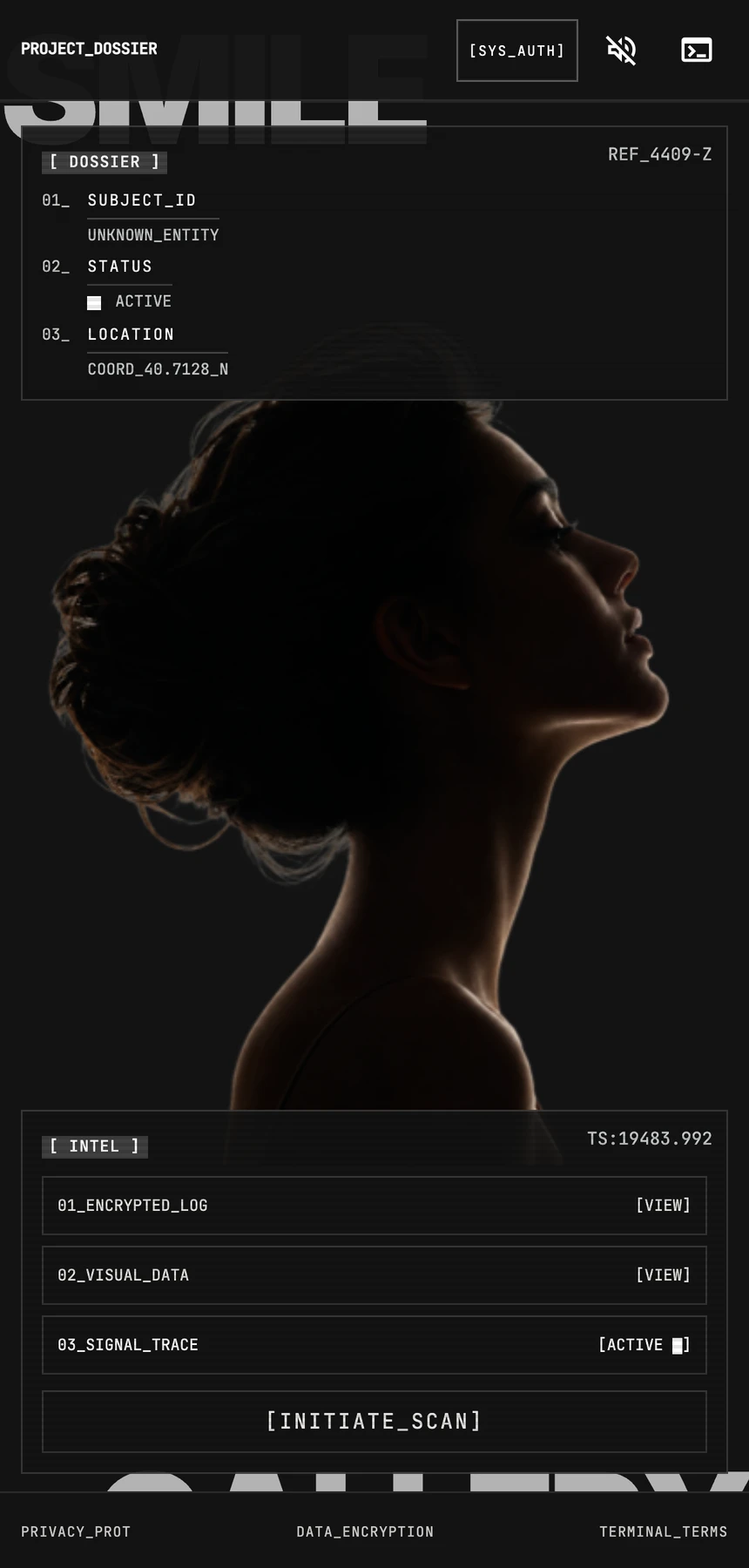
Mobile Smile Gallery layout with dossier and intel panels stacked around the portrait
MOBILE · STACKED DOSSIER
RESPONSIVE SYSTEM

The world stays intact.
Only the framing adapts.

On desktop, dossier metadata flanks the subject to preserve the wide cinematic stage. On mobile, panels stack cleanly above and below the portrait so every control stays comfortable to reach without shrinking the face.